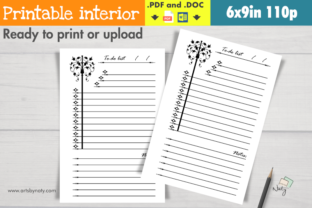
Evaluating the Vintage To-Do List Printable Notebook for KDP and Personal Use
The market for low-content and medium-content books on Amazon KDP has matured significantly, moving beyond generic lined journals toward niche-specific aesthetics that appeal to distinct buyer personas. Within this landscape, the Vintage To-Do List Printable Notebook emerges as a specialized asset designed for both self-publishers and individual users seeking a cohesive, nostalgic organizational tool. This resource is not merely a collection of blank pages; it is a pre-formatted interior featuring elegant clipart illustrations and a consistent vintage theme across 110 pages. For professionals evaluating digital assets for commercial or personal use, understanding the technical specifications, aesthetic value, and practical application of this specific notebook template is essential for determining its return on investment.
Technical Specifications and File Integrity
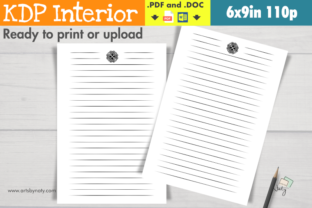
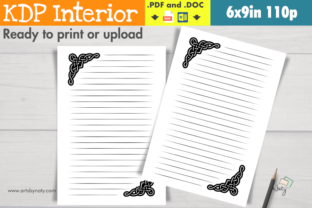
When assessing any printable or KDP-ready asset, file quality and formatting are the primary determinants of usability. This Vintage To-Do List Printable Notebook package addresses common friction points in the publishing workflow by providing two distinct file formats: a print-ready PDF and an editable DOC file. Both files are formatted to the industry-standard 6x9 inch trim size, which remains one of the most popular dimensions for productivity journals due to its portability and shelf presence.
The inclusion of a native DOC file is a significant functional advantage. While the PDF ensures that the vintage typography and clipart placement remain static and high-resolution during printing, the DOC file grants necessary editorial control. Specifically, users can modify the "This notebook belongs to" page and the copyright page without requiring advanced graphic design software like Adobe InDesign or Affinity Publisher. This flexibility allows publishers to add their own branding, ISBN information, or series metadata directly into the interior before upload. Furthermore, the guarantee of no watermarks is critical. Many low-cost templates retain subtle branding that renders them unsuitable for commercial sale; this asset’s clean output ensures professional integrity for KDP listings and personal printing alike.
Aesthetic Cohesion and Design Quality
The term "vintage" is often applied loosely in digital marketplaces, frequently resulting in disjointed designs where modern fonts clash with antique graphics. A strength of this Vintage To-Do List Printable Notebook is its commitment to aesthetic consistency. The elegant clipart illustrations serve as visual anchors rather than distracting background noise. For a to-do list specifically, visual hierarchy is paramount; the user must be able to scan tasks quickly without fighting against ornate borders or low-contrast text areas.
In practical evaluation, the design balances ornamentation with whitespace. The vintage elements provide emotional resonance and tactile appeal—qualities that drive sales in the stationery category—while the functional layout preserves adequate writing space. This balance is particularly important for the 6x9 format, where margin errors can render a book unusable. The pre-set margins in this template account for gutter bleed and safe zones, reducing the likelihood of rejection during KDP’s automated review process. For end-users printing at home, the grayscale-friendly nature of the vintage art ensures the notebook looks intentional even when printed on standard office paper without color ink.
Commercial Viability for KDP Publishers
For entrepreneurs and small business owners using this asset as a KDP interior, the value proposition lies in time efficiency and niche alignment. Creating a 110-page illustrated interior from scratch requires dozens of hours of design work and licensing research. This ready-made interior compresses that timeline to minutes, allowing publishers to focus on keyword research, cover design, and marketing. However, success depends on differentiation. Because this is a commercially available template, savvy publishers should leverage the editable DOC file to create unique variations. Adding custom introductory content, specific tracking tables relevant to a sub-niche (e.g., "Vintage Gardening Tasks" or "Antique Restoration Checklist"), or personalized author notes can transform a generic template into a proprietary product.
The 110-page count is strategically sound for this category. It provides sufficient bulk to justify a mid-tier price point while keeping printing costs low enough to maintain healthy royalties. Publishers should note that the vintage aesthetic pairs exceptionally well with Q4 seasonality, gift-giving occasions, and demographics interested in cottagecore, dark academia, or historical organization methods. Aligning the book’s metadata and cover design with these adjacent interests can improve discoverability beyond the saturated "to-do list" keyword cluster.
Practical Application for End Users
Beyond commercial publishing, this Vintage To-Do List Printable Notebook serves as a robust personal productivity tool. For freelancers, educators, and creatives who find digital task management fatiguing, the analog interface offers cognitive benefits supported by research on handwriting and memory retention. The vintage aesthetic adds a layer of ritual to daily planning, transforming task management from a chore into a deliberate practice. Unlike minimalist modern planners that can feel sterile, the warm, illustrative style of this notebook may reduce resistance to engagement for users who associate organization with stress.
The 6x9 size fits naturally into professional workflows. It is compact enough to carry alongside a laptop or tablet yet substantial enough to serve as a primary daily tracker. Users can print single sheets for immediate use or bind the full 110-page PDF into a durable softcover via local print shops or online services. The ability to edit the ownership page also makes this an excellent template for creating personalized gifts, workshop materials, or client welcome packages. Educators might customize the copyright page to include course information, while small business owners could brand it as an internal team resource.
Workflow Integration and Customization Potential
The true measure of this asset’s usefulness lies in its adaptability. Professionals should evaluate how the fixed layout interacts with their specific organizational systems. The vintage to-do list format appears optimized for traditional task listing rather than complex methodologies like bullet journaling or Kanban. Users employing highly structured systems may need to supplement this notebook with additional inserts or use the editable DOC file to restructure pages before printing.
Customization extends beyond text editing. Because the source file is provided, users with intermediate Word processing skills can adjust line spacing, add checkboxes, or insert section headers to better match their workflow. This level of access distinguishes premium assets from basic printables. However, users should exercise restraint; excessive modification risks disrupting the carefully calibrated margins and visual balance. Testing print samples after any edits is mandatory to ensure the vintage elements remain properly aligned and the writing area remains functional.
Considerations and Limitations
While this Vintage To-Do List Printable Notebook offers considerable value, realistic expectations are necessary. As a pre-designed template, it cannot accommodate every possible use case out of the box. Users requiring dated calendars, hourly scheduling blocks, or specialized tracking metrics will need to either accept the generic format or invest time in customization. The vintage aesthetic, while broadly appealing, may not align with corporate environments preferring ultra-modern or minimalist branding. Additionally, KDP publishers must recognize that using shared interiors requires extra effort in cover design and description writing to avoid appearing duplicative in search results.
File compatibility should also be verified. While DOC files are widely accessible, formatting can shift between Microsoft Word versions and alternative processors like LibreOffice or Google Docs. Users working outside the Microsoft ecosystem should thoroughly proof the document before finalizing. Despite these considerations, the combination of commercial readiness, aesthetic quality, and editable flexibility positions this Vintage To-Do List Printable Notebook as a reliable foundation for both publishing ventures and personal organizational systems. Its value ultimately depends on the user’s willingness to leverage the provided customization options to create something that feels intentionally crafted rather than generically produced.