Designing Print-Ready KDP Recipe Book Interiors
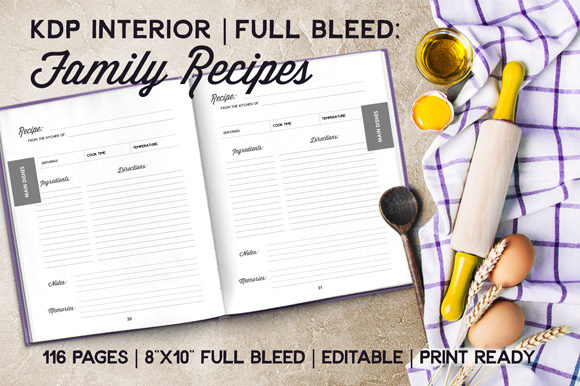
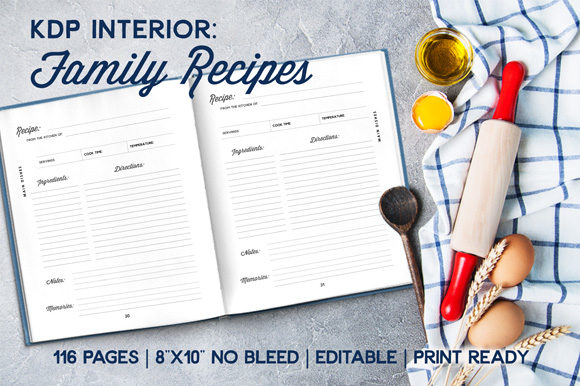
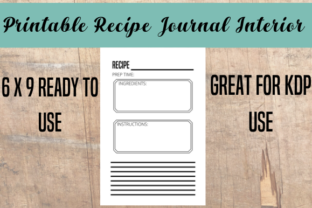
Creating a cookbook that feels professional and intuitive requires more than just compiling family favorites; it demands a meticulous approach to editorial design and layout architecture. For self-publishers and graphic designers, utilizing a high-quality Recipe Book Interior - Print Ready KDP template is the foundation for transforming raw content into a polished product. Specifically, the 6 x 9 format with 120 pages and no bleed offers a versatile canvas that balances portability with ample space for visual hierarchy and typography. This specific configuration is not merely a technical specification but a strategic design choice that influences readability, production costs, and overall user experience.
The Strategic Value of No-Bleed Layouts
In print design, choosing a no-bleed interior for a 6 x 9 recipe book is often a decision rooted in both aesthetics and practicality. From a branding perspective, this constraint encourages cleaner, more structured layouts that rely on whitespace rather than edge-to-edge imagery. This approach aligns with modern minimalist design trends, where clarity and function take precedence over decorative excess. By maintaining a consistent safety margin, designers ensure that critical text and instructional elements remain legible regardless of minor printing shifts.
This format also streamlines the design workflow. Without the need to extend background colors or images beyond the trim line, creators can focus entirely on typographic refinement and content organization. The result is a cohesive visual identity that feels intentional and premium, even when produced through automated print-on-demand services. For marketers and authors, this means faster turnaround times and fewer proofing errors, allowing more energy to be directed toward digital marketing assets and launch strategies.
Typography and Visual Hierarchy in Recipe Design
The success of any culinary publication hinges on how quickly a reader can locate ingredients and follow instructions. Effective visual hierarchy is paramount in a 120-page layout. When working within a pre-structured interior, designers should prioritize font pairing that enhances scannability. A robust sans-serif for headers combined with a highly readable serif for body text creates a classic yet functional contrast. Consistency in these typographic choices reinforces brand identity and ensures the book feels like a unified collection rather than disjointed notes.
- Legibility First: Ensure body text is at least 10pt to accommodate readers in low-light kitchen environments.
- Whitespace Management: Use margins and padding to separate distinct sections like prep time, servings, and method steps.
- Iconography: Integrate simple vector icons for dietary restrictions or cooking tools to add visual interest without clutter.
- Grid Systems: Adhere to a strict column grid to maintain alignment across all 120 pages, ensuring professional presentation.
Extending Design Assets Across Platforms
A well-designed recipe book interior serves as a central hub for broader creative projects. The typography, color palette, and graphical elements established in the print layout should seamlessly translate to other touchpoints. For social media graphics and digital marketing campaigns, extracting key visual motifs from the book’s interior creates instant brand recognition. Mockups of the 6 x 9 physical book can be paired with digital snippets of recipe cards to showcase the product's tangible quality alongside its digital accessibility.
Furthermore, the structural discipline required for a print-ready KDP file informs better UI and web design practices. The same principles of spacing, contrast, and information architecture used to organize recipes on paper apply directly to designing recipe websites or mobile apps. By treating the book interior as a primary style guide, designers ensure that every customer interaction, whether flipping a page or scrolling a feed, delivers a consistent and trustworthy brand experience.
Evaluating Quality and Usability
When selecting or creating a template, it is essential to look beyond surface-level aesthetics. True utility lies in the flexibility of the master pages and the precision of the margins. A superior design asset allows for easy customization while protecting the integrity of the safe zone. Designers should verify that the file includes proper gutter allowances for the 120-page count, as binding thickness affects how close content can sit to the spine. Investing time in validating these technical details prevents costly reprints and ensures the final product meets professional publishing standards.
Ultimately, the intersection of creative vision and technical precision defines successful self-publishing. Whether you are building a personal brand or managing a commercial series, thoughtful attention to layout, typography, and cross-platform consistency elevates a simple collection of recipes into a compelling design object. Quality creative assets do more than fill pages; they facilitate communication, enhance usability, and establish a lasting connection between the creator and their audience.